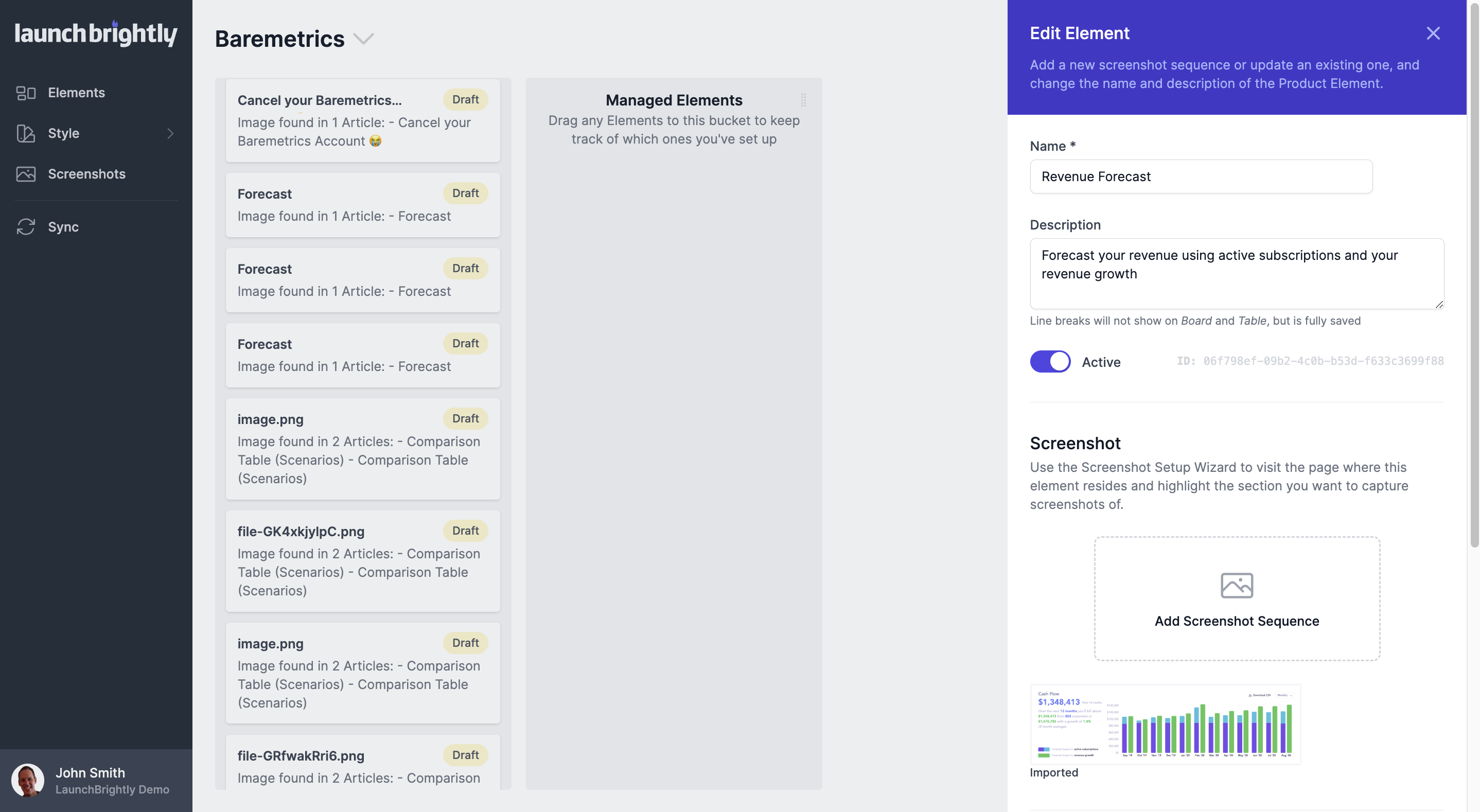
Select a Product Element from your help center import to update the Element details
Click on the auto-generated Product Element card from your Import Help Center column to open the Edit Element sidebar.
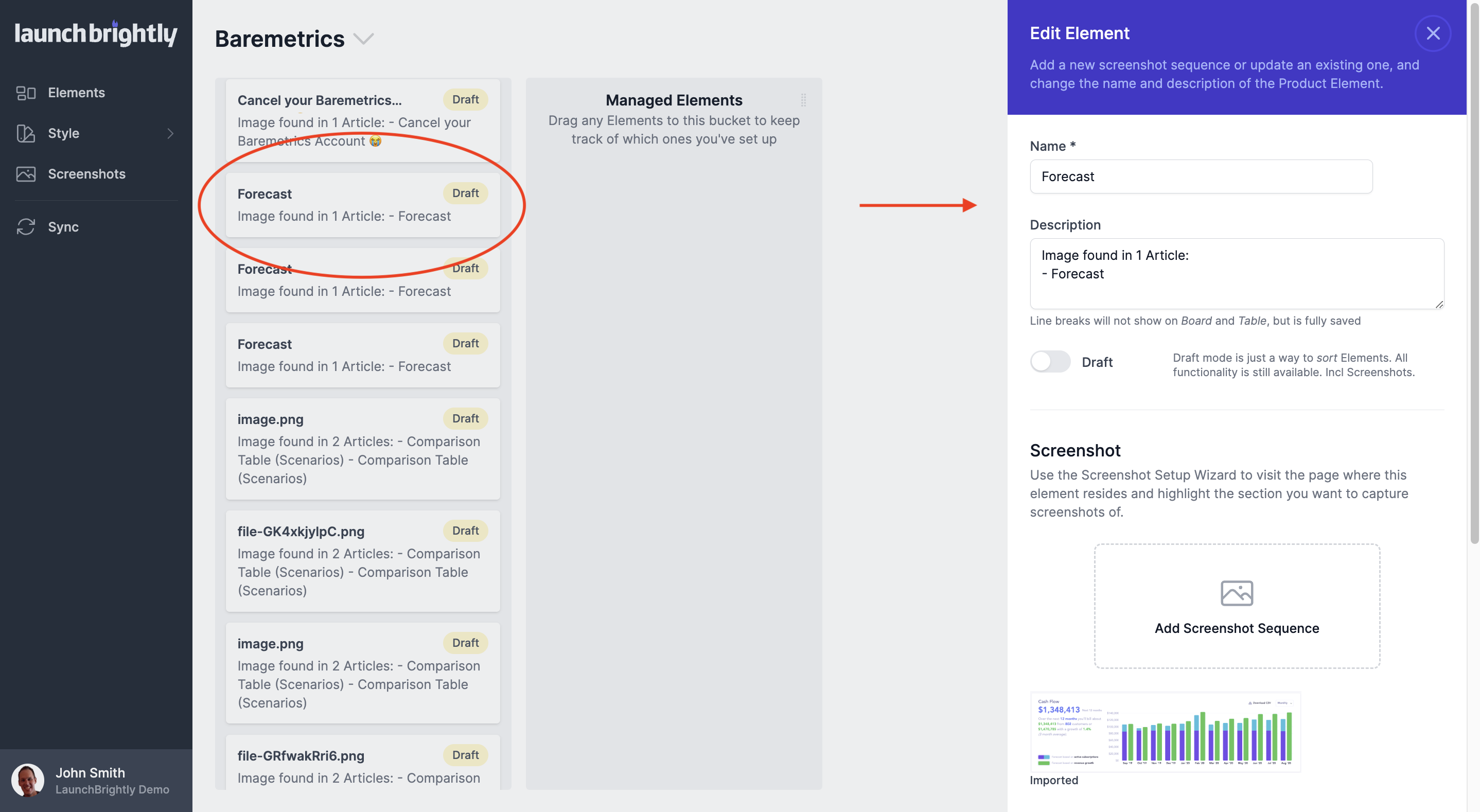
Update the name and description of the Product Element, and click the toggle to set it to Active.